

Motion Graphics & Video Editing Course
Learn video editing and motion graphics through practical training in Premiere Pro, After Effects, visual effects, animations, reels, and digital video content.
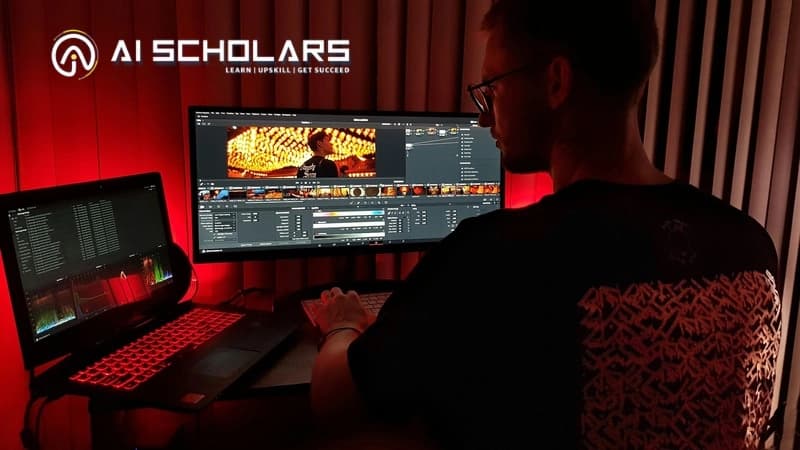 Other Beginner to Professional
Motion Graphics & Video Editing
Learn video editing and motion graphics through practical training in Premiere Pro, After Effects, visual effects, animations, reels, and digital video content.
- Hands-On Video Editing Projects
- Professional Motion Graphics Training
- Premiere Pro & After Effects Practice
Course Overview
Build skills that go beyond theory
Motion Graphics & Video Editing course in Agra at AI Scholars is designed for beginners, students, graduates, content creators, and working professionals who want structured, mentor-led training with practical work, certification guidance, and career preparation.
Build practical video editing and motion graphics skills through hands-on training in Adobe Premiere Pro, After Effects, visual effects, audio editing, color grading, and 2D motion graphics. Create videos for social media, YouTube, advertising, and digital platforms while developing portfolio-ready projects.
Learning Outcomes
What you will be able to build
Turn guided lessons into practical abilities you can explain clearly in projects, internships, and interviews.
Edit professional videos
Practice this through guided work using Adobe Premiere Pro, Adobe After Effects, Adobe Media Encoder and course projects.
Create motion graphics and animations
Practice this through guided work using Adobe Premiere Pro, Adobe After Effects, Adobe Media Encoder and course projects.
Apply visual effects and transitions
Practice this through guided work using Adobe Premiere Pro, Adobe After Effects, Adobe Media Encoder and course projects.
Edit audio and improve video sound
Practice this through guided work using Adobe Premiere Pro, Adobe After Effects, Adobe Media Encoder and course projects.
Apply color correction and grading
Practice this through guided work using Adobe Premiere Pro, Adobe After Effects, Adobe Media Encoder and course projects.
Create social media and marketing videos
Practice this through guided work using Adobe Premiere Pro, Adobe After Effects, Adobe Media Encoder and course projects.
Produce commercial video content
Practice this through guided work using Adobe Premiere Pro, Adobe After Effects, Adobe Media Encoder and course projects.
Build a professional creative portfolio
Practice this through guided work using Adobe Premiere Pro, Adobe After Effects, Adobe Media Encoder and course projects.
Course Curriculum
A clear path from foundations to final project work
Modules are structured from the available course curriculum, keeping the learning sequence easy to scan without changing the underlying course data.
- Video Editing Fundamentals
- Adobe Premiere Pro
- Motion Graphics Basics
- Adobe After Effects
- Visual Effects & Transitions
- Audio Editing
- Color Correction & Grading
- YouTube & Social Media Content Creation
- Advertisement Video Production
- 2D Motion Graphics
- Portfolio & Showreel Development
- Real-World Video Projects
Tools & Technologies
Learn the tools used in modern workflows
The Motion Graphics & Video Editing learning path includes practical exposure to the technologies listed in the course curriculum.
Live Project Experience
Build projects you can actually show in interviews
Transform what you learn into portfolio-ready work, documented demos, and practical explanations for professional conversations.
Portfolio Application
Hands-On Video Editing Projects
Dashboard Workflow
Professional Motion Graphics Training
API or Automation Project
Premiere Pro & After Effects Practice
Final Project Demo
Visual Effects & Animation Techniques
Career Outcomes
Turn your skills into career-ready proof
The program connects classroom learning with project review, portfolio development, interview communication, and course counseling.
Industry-Relevant Skills
Understand how modern teams apply technical skills in practical workflows and project decisions.
Mentor Reviews
Receive guidance on project clarity, presentation quality, and gaps to improve before interviews.
Portfolio Proof
Use projects, demos, documentation, and explanations to demonstrate what you can build.
Interview Preparation
Practice explaining your project choices, tools, problem-solving process, and learning path.
Placement Roadmap
From learning to interviews
A simple progression helps students move from fundamentals to project confidence and career conversations.
Skill Foundation
Build strong technical fundamentals through guided training.
Guided Projects
Apply skills through real-world project work.
Portfolio Polish
Organize your strongest work into an interview-ready portfolio.
Mock Interviews
Practice technical explanations and professional communication.
Career Counseling
Receive guidance for internships, job profiles, and next career steps.
Mentor-Led Learning
Learn with guidance, feedback, and real project reviews
AI Scholars mentors help learners connect concepts with practical execution through live training, project checkpoints, portfolio improvement, and interview preparation.
Course Inquiry
Get batch timings, fee details, and demo class guidance
Share your details and the AI Scholars team will contact you about Motion Graphics & Video Editing, curriculum, certification, and admission next steps.
Motion Graphics & Video Editing
Request a callback for course counseling.
FAQ
Questions before joining Motion Graphics & Video Editing?
A few quick answers before you speak with the counseling team.
Yes. The program starts with fundamentals and moves toward practical projects, portfolio work, and interview readiness.
Internship guidance is available with project tracks, mentor reviews, and certification options where applicable.
Yes. Project work is part of the learning path so students can demonstrate practical skills, not just complete theory.
AI Scholars supports resume improvement, mock interviews, portfolio review, and career counseling.
Helpful Next Pages
Explore connected programs and guides
Useful internal resources for students comparing programs, services, and local training options.
Start Your Learning Journey
Build practical skills with AI Scholars
Speak with our team about batches, curriculum, demo classes, certification, and career guidance.